
ShopKind for a Cause: One Extension, Many Causes
ShopKind for a Cause is a free browser extension that turns everyday online shopping into support for local causes, no extra cost, no extra effort.
Read more
Operator Insights
MCP vs API, explained without the jargon: how AI tools discover what they can do at runtime instead of relying on hardcoded developer logic, and why that matters for businesses adding AI to their workflows.
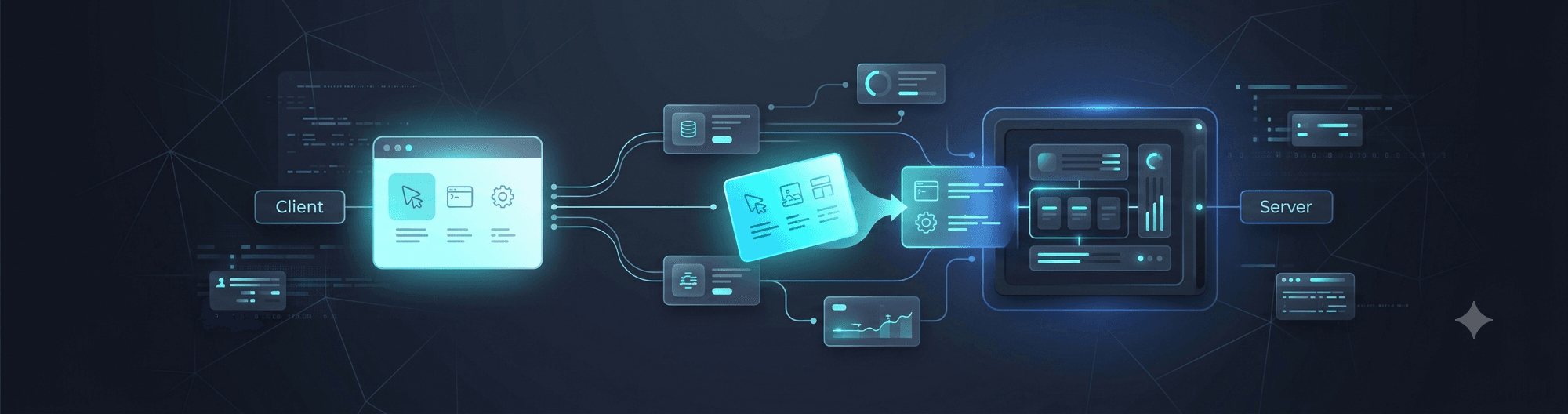
If you've spent any time near AI tooling discussions lately, you've probably run into the term MCP and wondered whether it's just a fancier word for an API.
It is a fair question, and it comes up often.
The confusion is understandable. But the difference isn't cosmetic. It changes where the thinking happens when a system decides what to do.
Traditionally, connecting software to an external tool worked like this: a human developer reads the API documentation, figures out what's possible, and writes code that says, in effect, if the user clicks this button, the software needs to do X, so call this endpoint; if it needs Y, call that one. That decision-making logic gets written at build time and hardcoded into the software, locked to the API's current shape, its specific endpoints, parameters, and response formats.
This works fine until the API changes. Add a new field, rename an endpoint, or change how authentication works, and someone has to go back into that code, re-read the updated docs, and rewrite the logic.
Multiply that across every tool your software touches, your CRM, your calendar, your invoicing system, and you've got a maintenance job that never really ends.
Say you want your app to pull customer records from your CRM. In the traditional setup, a developer writes code that calls GET /customers/{id}, parses the exact JSON structure that endpoint returns, and hardcodes what the app is allowed to do with that data. If the CRM vendor restructures their API next quarter, new endpoint, new response format, that code breaks, and someone has to fix it before the app works again.
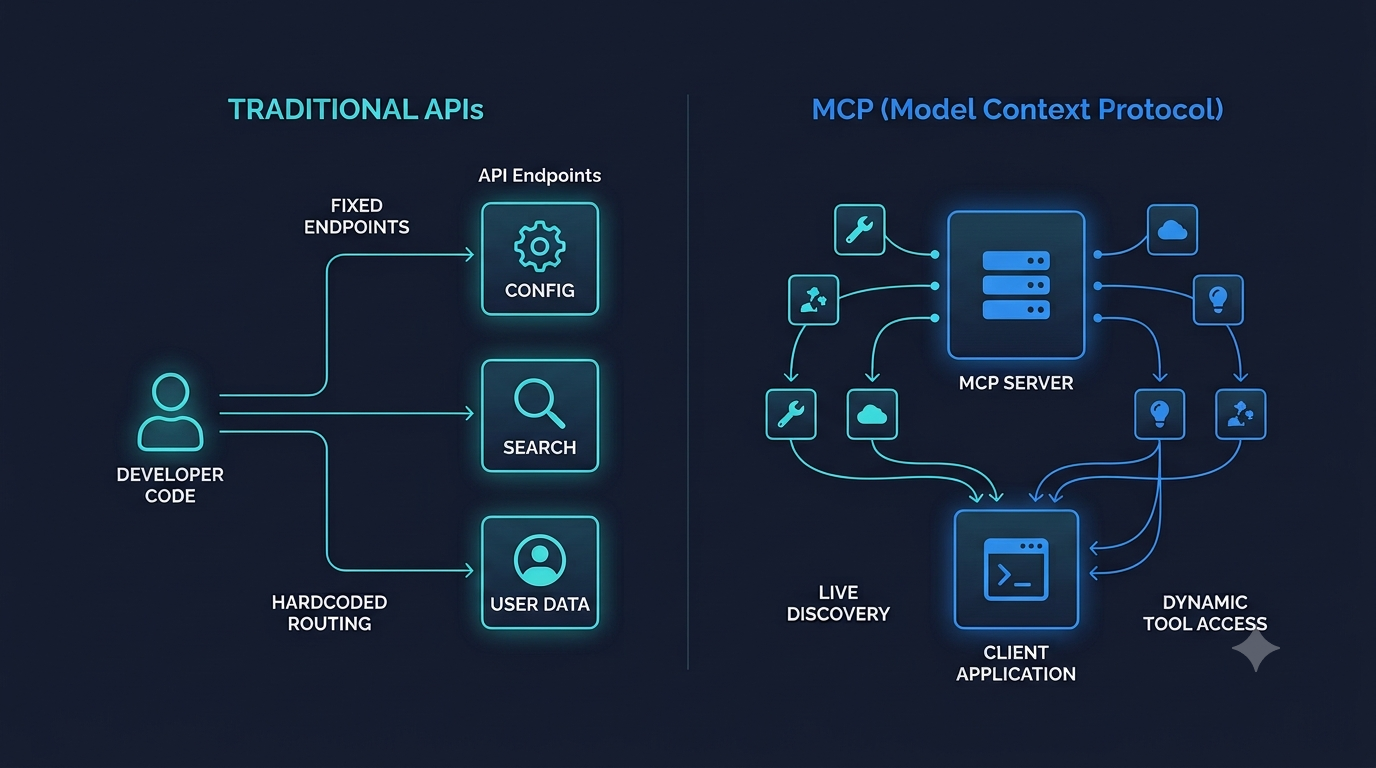
MCP flips who's doing the reasoning. Instead of a developer pre-deciding what's possible, an MCP server describes its own capabilities at runtime, here's what I can do, here's what each action needs as input. When an MCP client connects, it asks the server what's available, technically a tools/list request, gets back that live list, and hands it to the LLM. The client itself never needs to know anything about the CRM's actual API, it just relays whatever the server currently says it can do.
The decision about which capability to use and when moves from hardcoded developer logic to the LLM, reasoning live, based on the current list it was handed.
Now the CRM sits behind an MCP server instead of being called directly. That server exposes something like a get_customer tool with a defined schema. If the vendor changes their underlying API next quarter, the server absorbs that change, it can keep exposing get_customer the same way even if what happens behind the scenes is different. The MCP client, and the LLM using it, do not need rewritten integration logic just because the vendor changed their API.
It's worth being straight about one thing: this isn't fully automatic magic yet. When a server's capabilities change mid-session, it's supposed to notify connected clients so they know to re-check what's available. In practice, support for that notification is inconsistent across different AI tools right now. Some handle it well, some don't handle it at all, and in those cases a fresh connection is what actually picks up the change.
So zero maintenance forever is a bit optimistic today. What's true is that the architecture is fundamentally more durable than hardcoding. The client code does not have to be rewritten because of an API change, even if picking up that change isn't always instant.
If you're not writing the code yourself, here's the part that matters: every AI-connected tool your business uses is one less thing that can quietly break and need an emergency developer fix when a vendor updates their software. It also makes adding new AI-connected tools cheaper over time. Instead of a custom integration project for each one, you're plugging into a shared, describe-yourself pattern that AI assistants already know how to consume.
That's not a small thing if you're trying to build out a handful of AI-assisted workflows without needing a developer on retainer for every vendor update.
This kind of architectural thinking, understanding not just that AI tools can connect to your systems, but how those connections hold up over time, is exactly the kind of groundwork we do when configuring agentic workflows for small teams. If you're evaluating how to wire AI into your existing tools without locking yourself into brittle integrations, that's a conversation worth having.
ShopKind for a Cause is a free browser extension that turns everyday online shopping into support for local causes, no extra cost, no extra effort.
Read more
The Purrfect Additions ShopKind Chrome Extension, made to support a local nonprofit, just got a major upgrade. It's now called 'Purrfect Additions Kitty Feed', and you can browse adoptable cats, see a daily featured kitty, and support a local nonprofit every time you shop, free to install and at no cost to shoppers.
Read more